
Sunday, November 17, 2013
Grade 1 is Going Digital with Formative Assessment
Ms. Phelan has been using the Three Ring app in her first grade math class as a formative assessment tool. Threering.com is a great web tool and ipad app that allows teachers to collect and organize student work in a digital format.
 During math workshop Ms. Phelan meets with individual students and small groups to facilitate learning. Using the Three Ring app on the ipad she captures evidence of learning in multiple formats. She takes pictures of student work, captures video and audio clips, and also takes digital notes on student progress. After collecting formative data on the ipad, the information is automatically uploaded to her threering.com account. From her computer she can organize, edit, and tag the content she collected and use the information to make instructional decisions. At the end of the math lesson, Ms. Phelan displays her threering.com feed on the smartboard so that students can reflect on their learning by viewing and discussing video clips and images together. Using the ipad and an app such as Three Ring as a formative assessment tool is a great example of effective technology integration. Check it out! It's free!

Friday, October 11, 2013
Investigating Arrays with Educreations
Mrs. Leonard's grade 4 students have been using the Educreations app and Edmodo to communicate mathematical concepts and articulate their learning. During their study of arrays, the class set out on an "array hunt". Using the iPad, students took photographs of different objects in and around the school that represent arrays. They had to defend whether or not their photo was in fact an array. This led the class to discover what attributes defined an array, fostering a deeper understanding of this mathematical concept. Next, students had to figure out how many objects were represented in the array and defended their reasoning by combining their oral explanation with digital annotations. They posted their work to their 4th grade Edmodo group. Check out the examples below to see how these young mathematicians use academic vocabulary and apply mathematics to real world situations.
This project is laying foundational math skills for CCSS NBT.B.5, NBT.B.6, MD.A.3. and engages students in the CCSS math practices MP3, MP4, MP6, MP7.
Want to learn more about using Educreations in the classroom? Check out this blog post by Matt Gomez (@mattBgomez) , Educreations 101 Video: Quick Intro to Basis of This App.
Monday, September 30, 2013
Kindergarten iPad Photography- A Guest Post by Mrs. Sweet
 |
| The Letter A |
 |
| The Letter G |
Ms. Gleason's Kindergarten class has teamed up with Mrs. Sweet's Art Enrichment period to photograph found letters of the alphabet. Students have a letter written on the back of each hand so they can identify letter shapes with found letters. Students can then "frame" their found letters with iPads and photograph them. Back in the classroom, students dialogue and share letters they have found.
Tuesday, December 11, 2012
Technology Integration in the Primary Grades
The students and teachers at the RSD6 elementary schools have been doing some exciting things with technology. Over the past few months of the 2012-2013 school year, teachers have been upgrading their classroom websites to improve school/home communication and utilizing Google Docs to collaborate with colleagues.
The students have been engaging in a variety of digital-age learning experiences. Here are a few examples of how the primary teachers are promoting creativity, communication, and collaboration in the classroom.
Mrs. Maiolo's second graders have been using the Fotobabble app to publish poetry and practice reading fluency.
Each of the kindergartners in Miss Gleason's class created a Voki to publish their writing pieces about their favorite season.
First graders in Mrs. Williamson's class have been working with the Puppet Pals app on the ipad to demonstrate their learning in Reader's and Writer's Workshop.
Students in Mrs. Carpenter's second grade class illustrated their understanding of 'doubling' using the free online tool, Kerpoof.


The students have been engaging in a variety of digital-age learning experiences. Here are a few examples of how the primary teachers are promoting creativity, communication, and collaboration in the classroom.
Mrs. Maiolo's second graders have been using the Fotobabble app to publish poetry and practice reading fluency.
Each of the kindergartners in Miss Gleason's class created a Voki to publish their writing pieces about their favorite season.

First graders in Mrs. Williamson's class have been working with the Puppet Pals app on the ipad to demonstrate their learning in Reader's and Writer's Workshop.
Students in Mrs. Carpenter's second grade class illustrated their understanding of 'doubling' using the free online tool, Kerpoof.
After each student designed his or her human self, Kindergardeners in Mrs. Brady's class went wild using BuiLD YouR WiLD SeLF.

Kindergarden and First Grade students read the book, Little Cloud by Eric Carle in Art Class from a YouTube video. They dialogued about seeing various shapes in clouds and painted their own clouds with white paint on blue paper.

Thursday, March 15, 2012
Studucate

STUDUCATE...A night when students educate parents by sharing how they use technology to enhance their own learning.
Students taking ownership for their own learning is one of the most important aspects of 21st Century Learning. When that occurs pride, leadership, self-confidence and true understanding swell to the surface. In this technological age of learning those who truly grasp the benefits of these times realizes that it really isn’t about the technology at all. What really matters is how and why it is utilized. Providing students with opportunities to communicate, collaborate, use creativity and critical thinking not only engage students on a higher level of learning, but will help to build a strong foundation for their future. On March 1, 2012, the students of Warren School participated in a very special event that held them to a highly unique standard. We called this event Studucate. Studucate was a night when students educated parents by sharing how they use technology to enhance their own learning. Students were highly motivated to take on this challenge. 70 of our 89 students of Warren School, K-6, presented at Studucate. Students owned the night. Throughout the evening, parents and friends rotated from class to class as groups of students in each grade presented 10-minute lessons to those in attendance. Those not in attendance for each presentation--the classroom teacher. Teachers let the students truly embrace the experience. It would be difficult for teachers not to intervene when their students came across technical difficulties or lesson mishaps in the midst of presenting to a room full of adults.
The following day students were given time to explain what they felt about Studucate. Their reactions were priceless, not to mention extremely insightful. They expressed the importance of teamwork, communicating thoughts clearly, and being able to work through problems that presented themselves during their lessons. For many, the experience made them realize that they have the ability to take on challenges, step out of their comfort zone, and accomplish something that leaves a feeling of pride difficult to match. These expressions were informally captured on an iPad and merged with footage of Studucate to create a 13 minute iMovie video that was e-blasted out to parents and friends. The VoiceThread created the night of Studucate was included as well.The following day students were given time to explain what they felt about Studucate. Their reactions were priceless, not to mention extremely insightful. They expressed the importance of teamwork, communicating thoughts clearly, and being able to work through problems that presented themselves during their lessons. For many, the experience made them realize that they have the ability to take on challenges, step out of their comfort zone, and accomplish something that leaves a feeling of pride difficult to match. These expressions were informally captured on an iPad and merged with footage of Studucate to create a 13 minute iMovie video that was e-blasted out to parents and friends. The VoiceThread created the night ofStuducate was included as well.
"It felt like you were in charge and your teachers didn't help. It wasn't the teachers telling you how to use a program, it was you teaching the parents."
"If you work together, you can get things done. We were a great team together."
Thursday, November 17, 2011
Forever Grateful Veteran Interview Project
Each year, the 5th grade at Warren School, CT, hosts a Veteran’s Luncheon.
Each year, connecting students with our veterans makes the event special.
This year, however...it was extra special. We are very proud of this project.
Forever Grateful...Veteran Interview Project
Grade: 5th (15 students)
Teachers: 5th grade teacher, Beth Ulrichsen and Educational Technologist, Alisa Wright
Time Span: Began in early October--Completed Mid November (*including an unexpected week off due to power outages)
Time Requirements: ½ hour/day....*1 week prior to luncheon required more time
Each year, connecting students with our veterans makes the event special.
This year, however...it was extra special. We are very proud of this project.
Forever Grateful...Veteran Interview Project
Grade: 5th (15 students)
Teachers: 5th grade teacher, Beth Ulrichsen and Educational Technologist, Alisa Wright
Time Span: Began in early October--Completed Mid November (*including an unexpected week off due to power outages)
Time Requirements: ½ hour/day....*1 week prior to luncheon required more time
- Met in computer lab
- Student Collaboration (teams of 3)
- Created interview questions to be included in class question list
- Completed tasks--addressing envelopes, writing invitations, researching history of wars/military
- Conducted interview
- Project: Interviewed 11 community veterans to create a digital story full of history, reflections and words of wisdom.
- Members of each team
- Digital camera photographer for still photos
- Flip camera photographer for video
- Interviewer (used Audacity to record audio)
- Individually
- Created a full version video about a veteran using video, stills, audio in Windows Movie Maker
-
- b.created a short 2 minute video using stills and portion of audio using PhotoStory

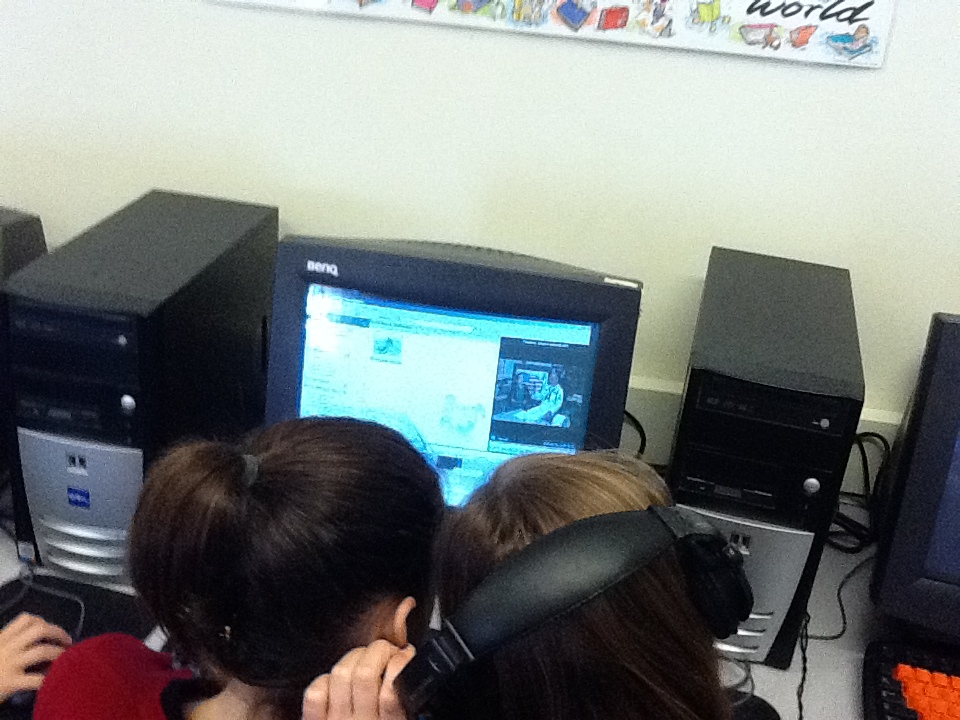
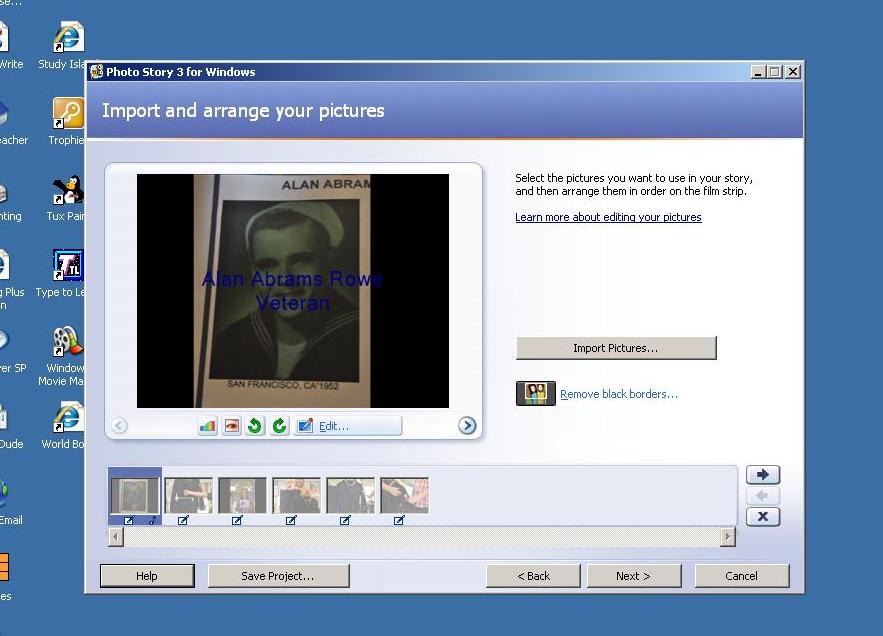
- Culmination: Created a combined video in Windows Movie Maker using the PhotoStory videos of each veteran. This combined video was 16.5 minutes long and was shown during the annual Veteran’s Luncheon. Extremely well received.
Technology/Programs Used:- Flip Camera
- Digital Camera
- Audacity
- Windows Movie Maker
*Be sure to save all pictures and videos to computer prior to creating video.
Helpful Hints:- Save all photos, videos, audio to same folder
- Make a copy of original audio prior to editing to ensure safe keeping
- Upload final project to youtube to easily share

Thursday, September 29, 2011
Taking Technology Into the Garden

How Ya Peelin’?
Taking Technology Into the Garden at Warren
Kindergarten, First and Second Graders have a special flair for demonstrating feelings. After being introduced to a specific color of our garden, pairs of students chose a vegetable to portray a facial expression of emotion. After discussing with their partner a particular emotion they wanted to work with, happy, sad, frustrated, surprised, and scared were some of the emotions they created on their vegetable using black-eyed peas and toothpicks. Students then wrote a list poem explaining how one feels when expressing that emotion.
Taking Technology Into the Garden at Warren
Kindergarten, First and Second Graders have a special flair for demonstrating feelings. After being introduced to a specific color of our garden, pairs of students chose a vegetable to portray a facial expression of emotion. After discussing with their partner a particular emotion they wanted to work with, happy, sad, frustrated, surprised, and scared were some of the emotions they created on their vegetable using black-eyed peas and toothpicks. Students then wrote a list poem explaining how one feels when expressing that emotion.
Once faces and poems were completed, Blabberize, a free online program, turned those veggie faces and poems into an animated, talking, feeling video. Mrs. Powell, our music teacher, helped each class prepare a song about feelings. Students enjoyed choosing the transitions to use between Blabberized videos and digital photos to complete this project using Windows Movie Maker.
While the movie was being processed, Mrs. Brown read, How Are You Peeling?, by Saxton Freymann to eager listeners and viewers. They were surprised to see that the veggie faces they created were as ‘emotionally charged’ as what the book portrayed. After viewing the movie, teachers were already expressing other ways they were ready to use Blabberize and Windows Movie Maker with their classes. So….I guess we’re peelin’ pretty good about how technology was integrated into our academic day!
If you’re happy and you know it, click this link…
Thursday, September 22, 2011
Our Hopes and Dreams
Many students and teachers in our elementary schools participate in an assignment where they have to share a hope or dream they have for the new school year. This year, we created a Voicethread so that we could share these hopes and dreams across the district. It is not too late to participate and we hope that we can collect some comments from other schools across the country as well. Let's work together and see how many hopes and dreams we can collect! If you already have a Voicethread account, you can leave a comment right from this blog post. Teachers, staff, students, and family members (from around the world) are welcome to participate!

Thursday, September 1, 2011
Welcome Back!
The best way to learn from each other is to share what we know. So please use the comment tool on this blog to communicate with your fellow teachers.
Please be sure to check out our SlideRocket presentation from our PD days and don't forget to check out our RSD6EdTech Wiki for any resources and information from those PD days. If you have not already done so, here is a link to the evaluation sheet. Your feedback is very important to us!


Friday, June 17, 2011


Students at Warren School experienced how communication is not just through the Internet and that Ham Radio can come through when all else fails. With a simple wire mounted in the school's courtyard, Mr. Fegley, technology teacher at Region 6, introduced students to his lifelong hobby.
W0WD connects with WA1MOG: On June 16, 2011, 20m SSB QSO (...for those of us who are newbies to this oldie, that's Ham radio lingo!) , Fourth Graders from Mrs. Woodington's class at Warren School, Warren, CT, connected with Joe Dolinsky (W0WD) from Minnetonka, Minnesota. Each student using club call sign, WA1MOG asked questions to Joe who offered wonderful words of wisdom with his responses. Joe played back recordings of students so they could understand how short wave amateur radio signals are sent and received using a simple wire dipole antenna. WA1MOG is the club call sign for the Wamogo Amateur Radio Club. Mr. Dan Fegley, W1QK, is the club advisor. Mr. Fegley turned Warren School's library into a launchpad for radio signals. Students were amazed and eager to know more. They were directed to the website for the American Radio Relay League (http://www.arrl.org/) which is the national association for amateur radio located in nearby Newington, CT. Prior to connecting with W0WD, a Morse code contact was made with CO8LY, located in Cuba, with a quick "hello" and "goodbye". Follow links to view videos: http://youtu.be/qZyugO3B-Sc http://youtu.be/VFYHoydAcWs
Thursday, May 12, 2011
Warren School Skypes

First graders at Warren School had an amazing time connecting with Mr. F’s class which is located almost 1,000 miles away in North Liberty, Iowa. After joining Skype in the Classroom (education.skype.com), we found Mr. F’s project, Skype R US, by browsing through the projects that teachers have shared. After having the opportunity to share the prepared answers to the questionnaire that accompanies the project, the students participated in an impromptu question and answer period. It didn’t take long for the students to relax into this new mode of communication and learning. By the end of their half-hour session together, students gained a wealth of knowledge about each other’s state, community, school, and personal interests.
A Google Map has been created as a way to collaborately chronicle Warren School’s Skype experiences. Mystery Destinations, Poetry and Prezis are upcoming projects that students from Warren School will participate in through Skype in the Classroom. Be on the lookout for highlights of those experiences on our Google Map.

Skype in the Classroom makes it very easy to find teachers ready, willing and able to collaborate on projects and bring classes together from across the globe.
Friday, April 29, 2011
Flat Stanley Goes High-Tech with Google Custom Maps

Flat Stanley is a beloved children’s book written by Jeff Brown in 1964. In 1994, a third grade teacher from Canada, Dale Hubbert, started the Flat Stanley Project and invited other teachers and students from all over the globe participate in this engaging and collaborative activity that promotes global connections through letter writing. In recent years, Flat Stanley has become more tech savvy. Students can upload multimedia and blog posts onto the Flat Stanley website. There is even a Flat Stanley app that allows students to instantly create photos and upload them directly to the website or share them via email. Second graders in Mrs. Maiolo’s class are using the Google Custom Maps tool to track Flat Stanley as he makes his journey around the world. As they learn the places that Stanley visits, they create a place-marker on their google map, upload a corresponding photo, and write a paragraph describing the kind of community that Stanley has visited. Join Mrs. Maiolo’s class as they learn about different communities from all over the world by viewing their Google Custom Map.
View Flat Stanley in a larger map
Wednesday, February 23, 2011
Motivating Students with Storyjumper and Storybird

Second grade students in Mrs. Battistoni's class have been using Storyjumper.com to create class books as well as individual stories. Since the students have been using this technology tool, Mrs. Battistoni has noticed a significant change in student engagement and motivation during writing instruction. Once reluctant writers now are eager to take their netbook from the cart and login to their student account on Storyjumper. Students in this second grade classroom are encouraged to collaborate and help each other. Remember that teachers do not have to be an expert on the technology tool in order to integrate it effectively! This is a photo of a student with a strength in technology acting as a mentor and helping his classmate troubleshoot a computer problem. Check out their class Storyjumper project! Winter Poems by Mrs. Battistoni's Class
It is so fantastic to see similar results in other classrooms throughout the district. Recently, I was in Miss Towne's fourth grade and the students were completely immersed in their writing when using Storybird.com. Similar to Storyjumper.com, this website allows students to create writing pieces that can be shared in a safe and secure online environment. A storybird is a writing piece where the author (the student) is collaborating with an artist by first choosing the art collection and then writing a story to go along with it. As I was wandering the room, I was so impressed with the quality of writing and creativity of these fourth graders. Watching them help one another and share tech tips with each other was equally impressive.
Friday, February 11, 2011
Google Search Stories for Digital Storytelling
You and your students can now create your very own google search story with the Google Search Story Video Creator on youtube. Maybe some of you remember Google's popular ad from the 2010 Superbowl, a Parisian love story through a series of google searches. Well, Miss Funkhouser's fifth grade students recently used this tool to tell a digital story about a favorite book. First, the students were shown a few exemplars to get an idea of what makes an effective search story. Then, using a graphic organizer, the students planned their own search stories and discussed their ideas with Miss Funkhouser. Using a class youtube account, each student created a search story that portrayed the important elements from a book of their choice. They were sure to include web, image, and map searches to make their story interesting and also picked an appropriate soundtrack to match the tone of the book. Check out some examples below!
Wednesday, January 26, 2011
Connecting Book Clubs through a Wiki!
Sixth grade teachers, Mrs. Smith (Warren School), Mr. Pane (James Morris School), and Mrs. Larson (Goshen Center School), have found a way to bring their classes into 21 Century Learning by encouraging critical thinking and real world communication. They have been able to regularly connect book club groups from their individual classes located in three different towns without ever leaving their classrooms. How is this accomplished? Using a wiki created at pbworks.com. (A wiki is a collaborative website that allows users to edit, share, and create content.) The ReadingRulesRsd6 wiki was created as a working environment that allows students to share original points and respond to each other's ideas. Thoughtful, well written reflections are encouraged and expected. Students look forward to reading the different responses and viewpoints from peers who will one day be their classmates at Wamogo. If you would like to request access to view this wiki, please follow this link: https://readingrulesrsd6.pbworks.com/w/page/27302846/Homepage

Sunday, January 16, 2011
Sixth grade "Glog" project makes the local news!
Sixth graders in Miss Maillet's class expressed their enthusiasm for Glogster in an interview with a reporter from the Register Citizen. The article, which was printed in the paper a few weeks ago, can be read online by clicking this link. Register Citizen Article
Each student created a "Glog" to present key components of a non-fiction text about Skara Brae. Here is a student example of the finished product.
Saturday, January 15, 2011
Going Beyond Read Alouds with StoryJumper
Not only are our school libraries a wonderful resource for so many different types of books, but through the use of technology, books are put to tasks beyond being read. After reading No Talking by Andrew Clements with the fourth grade, Mrs. Brown worked with students to create a StoryJumper based on the book's '3-word sentence' style. The challenge was on...Students chose to create a storyline that involved Tom and Jerry having a chance meeting with Ghandi. The outcome...a thoughtful, well-developed story that is not only enjoyable to read, but it brings about a message of cooperation and peace winning over fighting and negativity--all this by using only 3-word sentences! Mission accomplished Mrs. Brown and the fourth grade. Job well done!
Click on book. Enjoy the read!

Tuesday, January 4, 2011
Displaying Story Elements Through PhotoStory
Taking the lead from Mr. Pane's class, Mrs. Smith's sixth grade class in Warren created their own Photostories. Sixth graders created a photostory to display story elements such as plot, mood and tone, setting, making connections and recommendations. Students narrated each slide afer carefully chosing pictures that would appropriately accompany their written text. The music chosen (freeplaymusic.com) helps to set the specific mood brought out while reading the novel. The outcome...an expressively fluent presentation of story elements using an engaging and captivating approach.
Tuesday, December 14, 2010
Plot Mountains and Photostory!
Photo Story is a great software program that allows students to create movies from still images with accompanying music and narration. Many classrooms use Photo Story for digital storytelling or creating book trailers. Mr. Pane's sixth graders used Photo Story to apply their understanding of plot mountains. Instead of filling out a graphic organizer, the students participated in something much more engaging, creative and authentic. The students had to decide on appropriate images and music to represent the rising action, climax, falling action and resolution of an independent reading book. Have you tried Photo Story yet?
Check out some examples of Plot Mountain Photo Stories from Mr. Pane's students.
Check out some examples of Plot Mountain Photo Stories from Mr. Pane's students.
Wednesday, December 8, 2010
Using Podcasting to Increase Fluency
Mrs. Nypert's 3rd Grade class recently wrote and recorded stories they've written. As students listened to their recorded voices, Mrs. Nypert used this as an opportunity to work on fluency skills. Podbean.com, a free online podcast hosting site was used to allow these recordings to be shared and saved. Also using Audacity, each student in Mrs. Carpenter's 1st grade class was recorded reading a familiar book. While listening to themselves read during a special story hour (complete with hot cocoa!), students were able to hear how they can improve their expression and fluency.
Listen to these podcasts of the third and first grade at: http://awright3.podbean.com/
*Audacity files were first exported as a .wav file and then converted to a usable mp3 file using this free online, easy to use converter: http://download.cnet.com/WAV-to-MP3-Encoder/3000-2140_4-10060500.html

Subscribe to:
Posts (Atom)